Keeping Mom connected without making her learn a tablet
Families want an aging parent to stay in touch and feel less alone. Regular tablets bury a 75-year-old in accounts and menus, and senior devices cost a lot and feel like a label. I built idyll.care so the tablet the family already owns just works, and the family hears how Mom's doing.
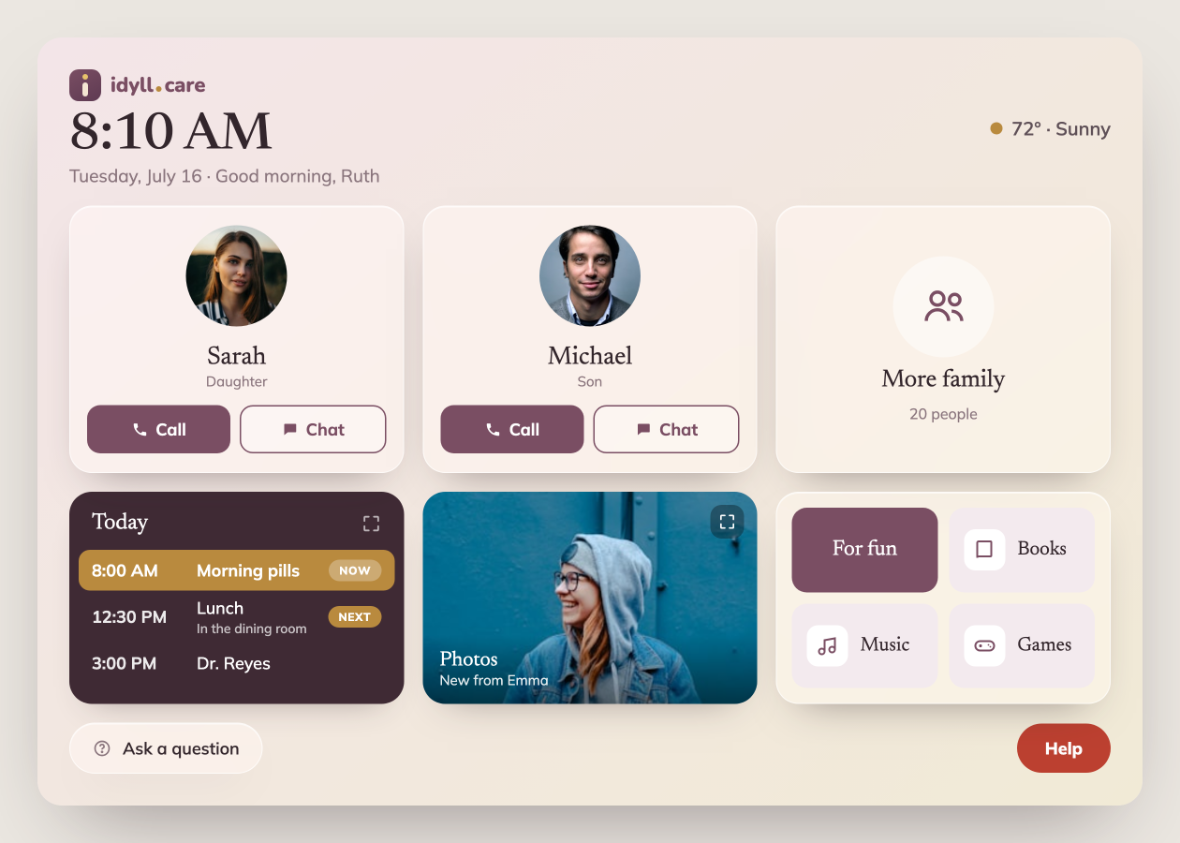
It's two problems at once. Mom needs company and a screen she can't get lost in. Her kids need to know she's okay without checking up on her all day.
A home screen, not an app
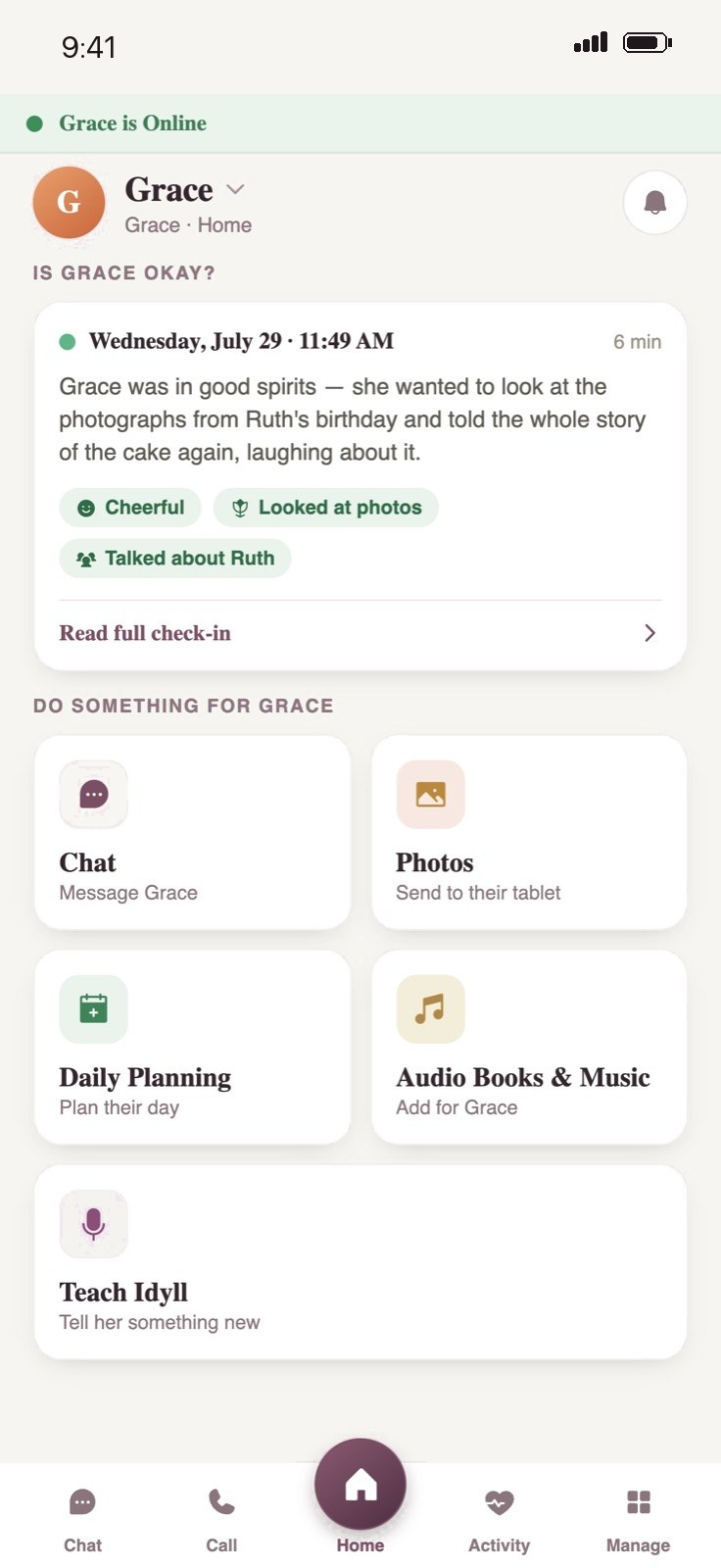
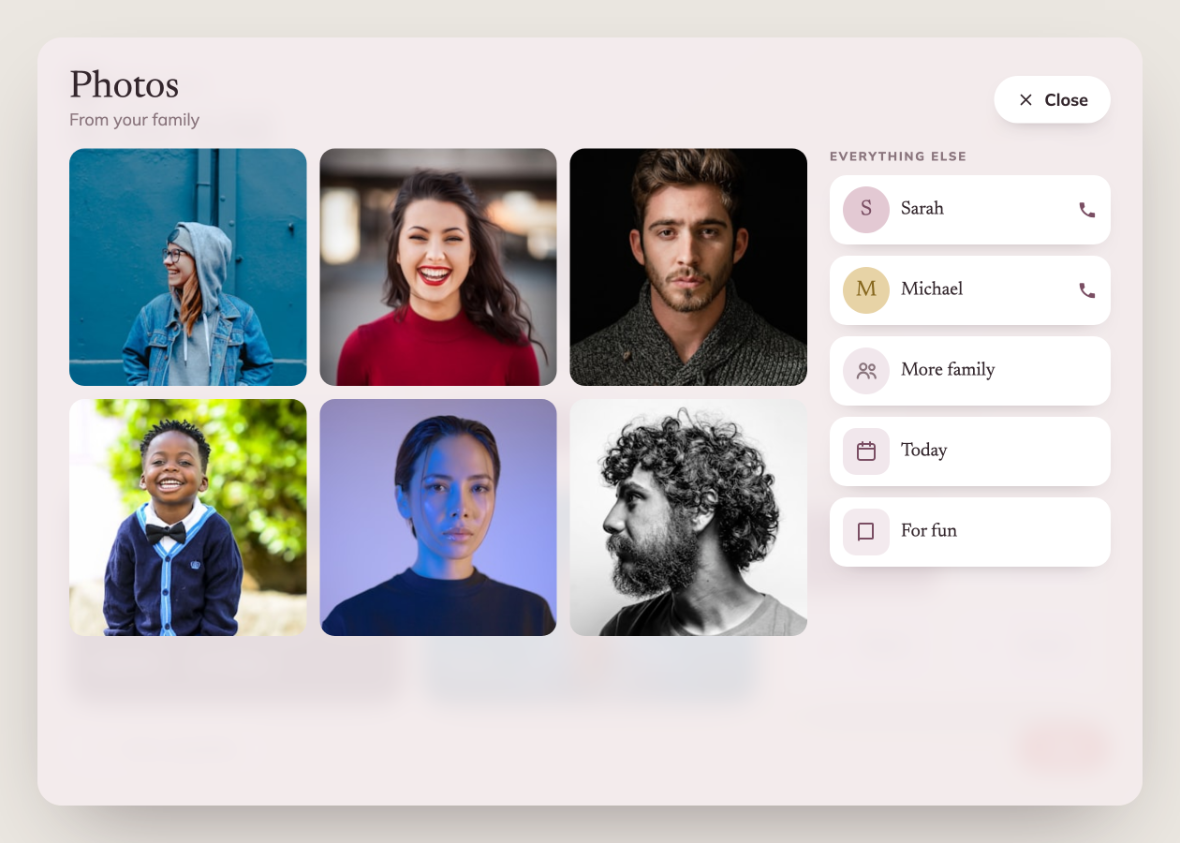
Family photos fade slowly in the background. A few big buttons sit on top: the people Mom loves, today's plan, photos, and something fun. Today moves along on its own, so she never has to check anything off. She can call, chat, and look. That's it. Everything she sees is set up by the family, from the caregiver app on their phones. It opens on how she's doing, then what they can do for her: send a message, send photos, plan her day, add books and music.
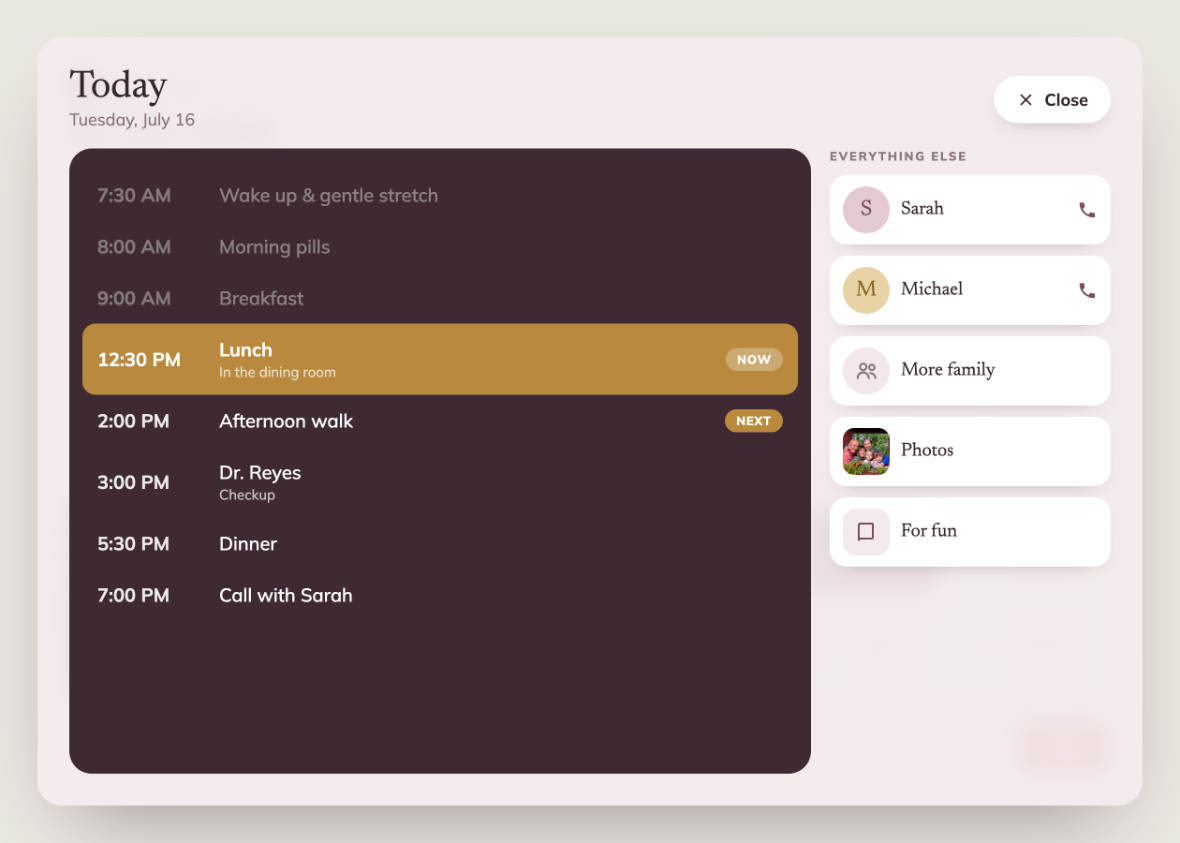
Calling without hunting for a button
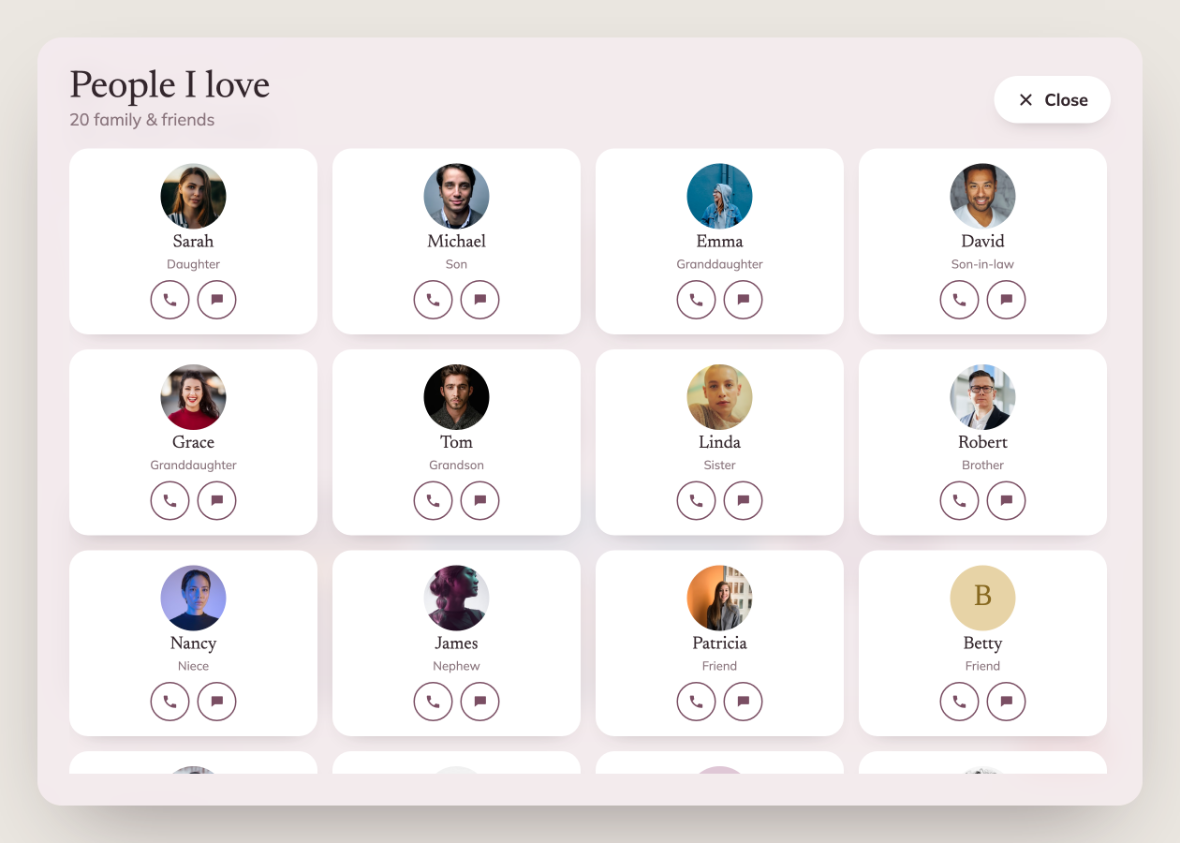
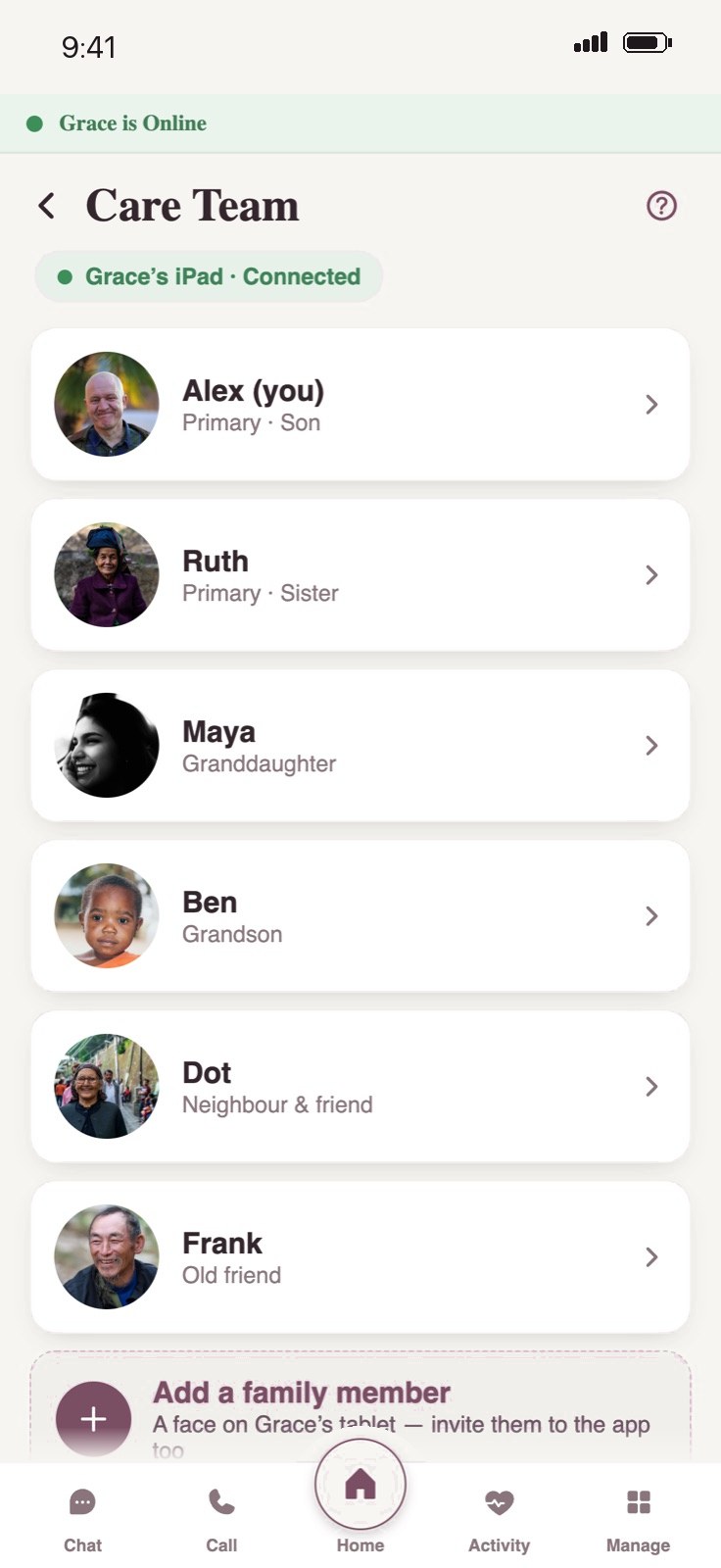
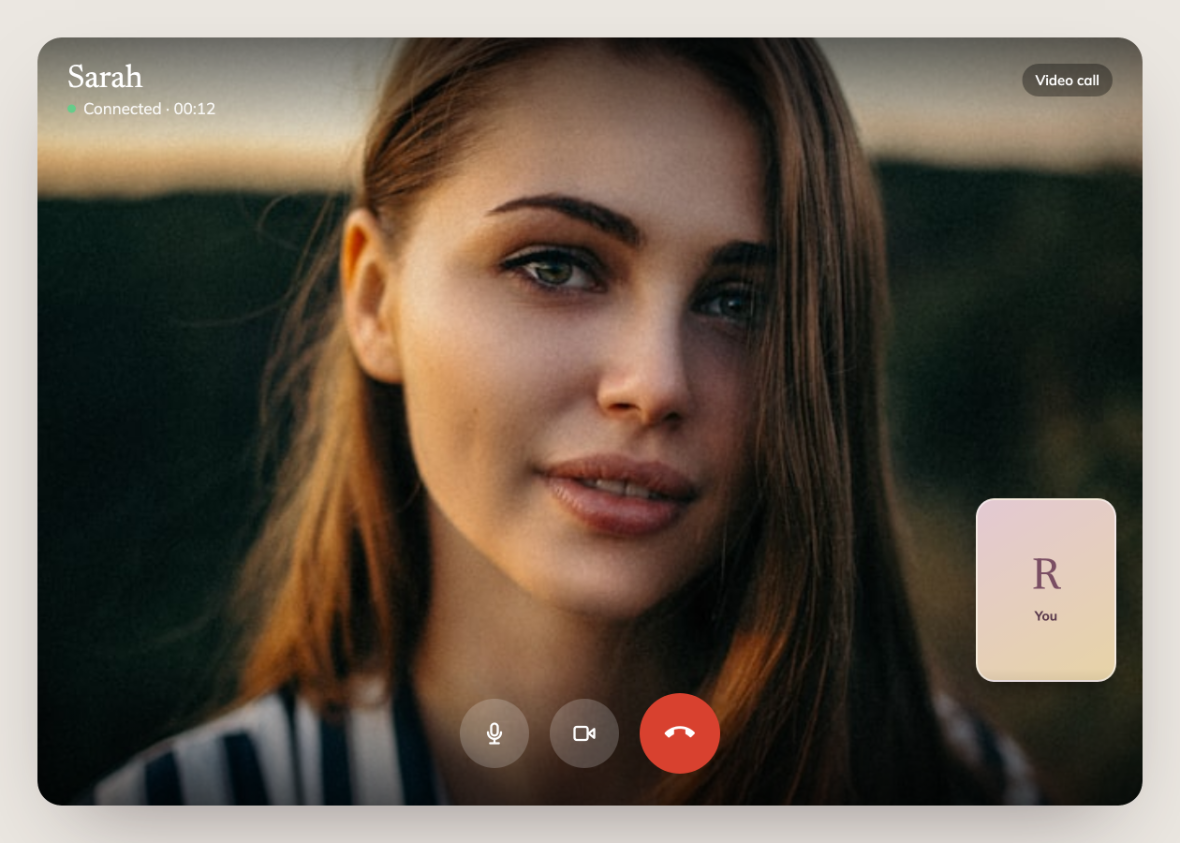
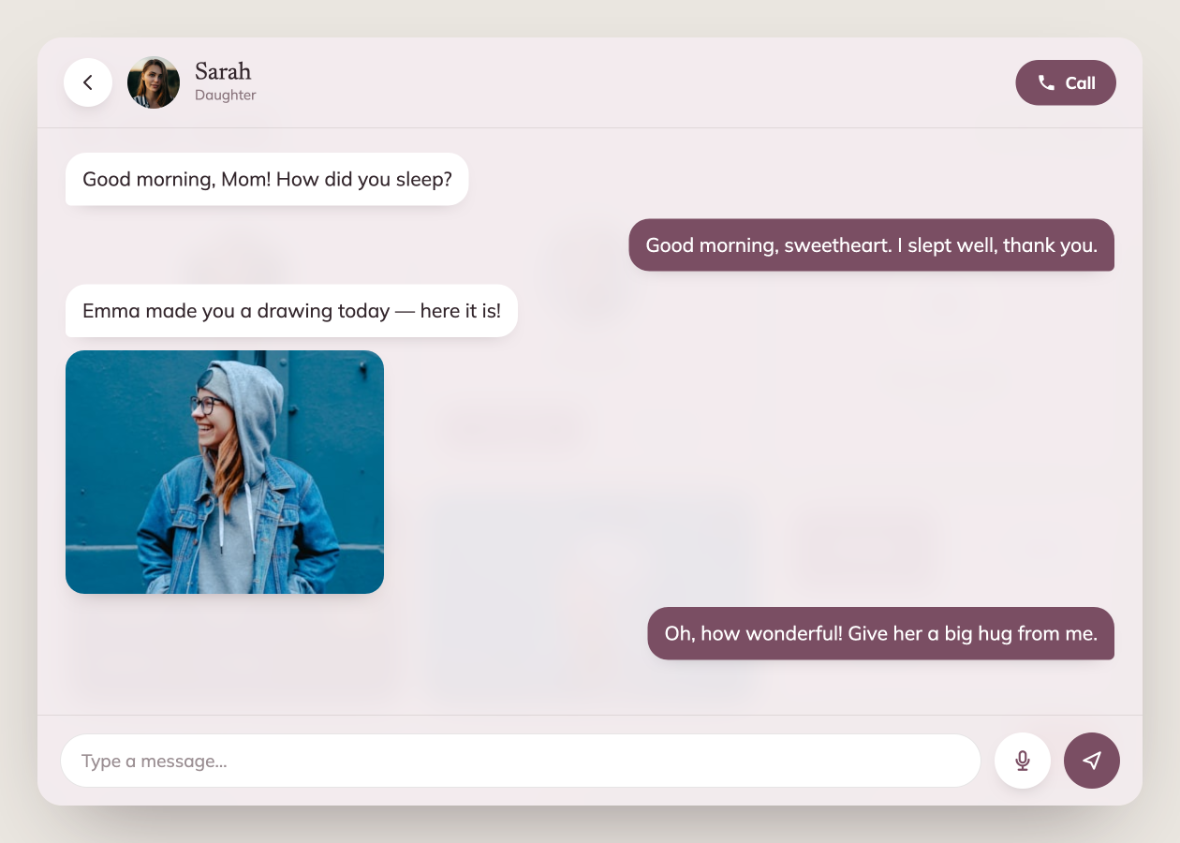
Calls and chat are one tap. Video calls from trusted family answer themselves, so Mom never fumbles under pressure. Messages show up as big cards with photos. Trusted means the care team. The family keeps that list in the caregiver app, and everyone on it is a face on Mom's tablet. Add someone there and they show up on hers.
Photos from the family
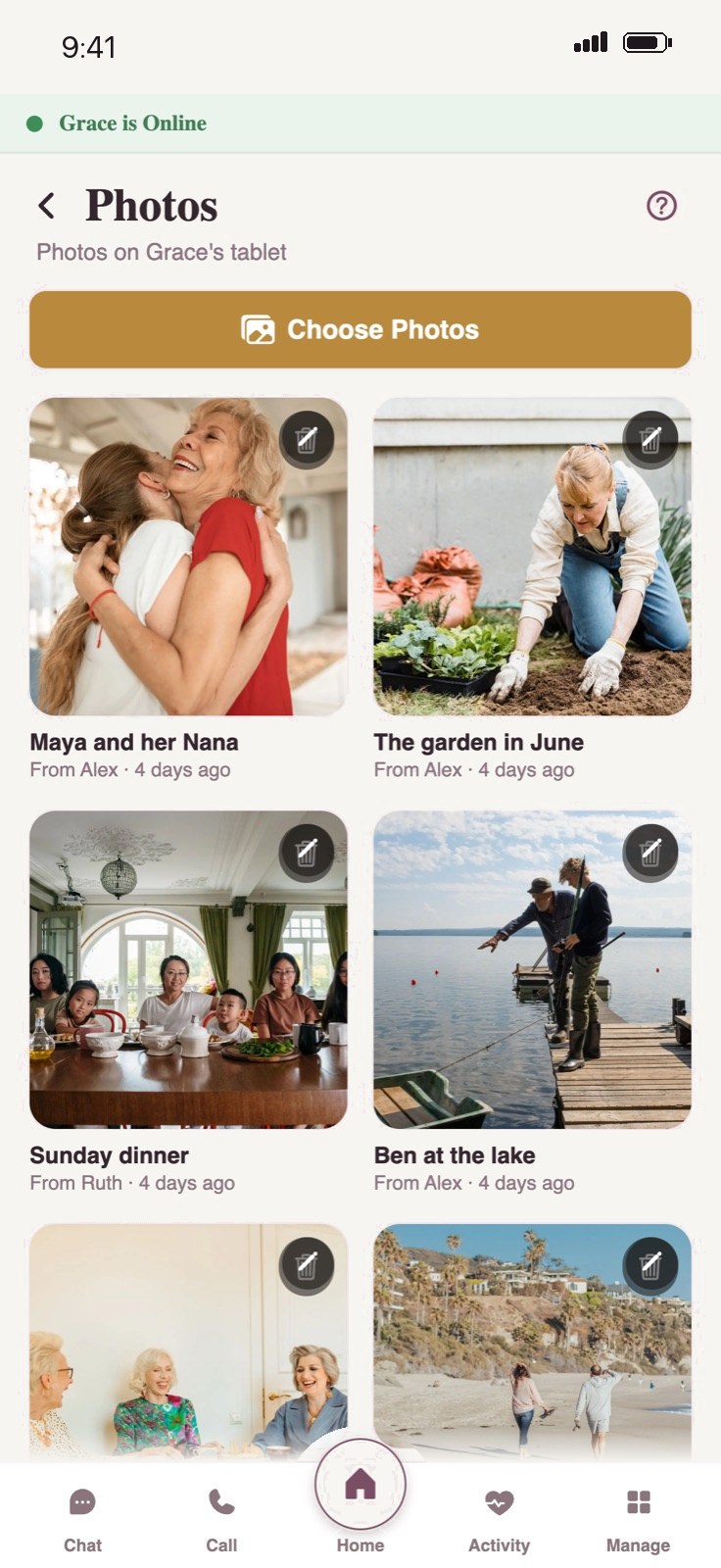
Photos fill the screen on Mom's tablet. The family picks them on their phones. The caregiver app shows everything that's on her tablet and who sent it.
Idyll, the AI companion
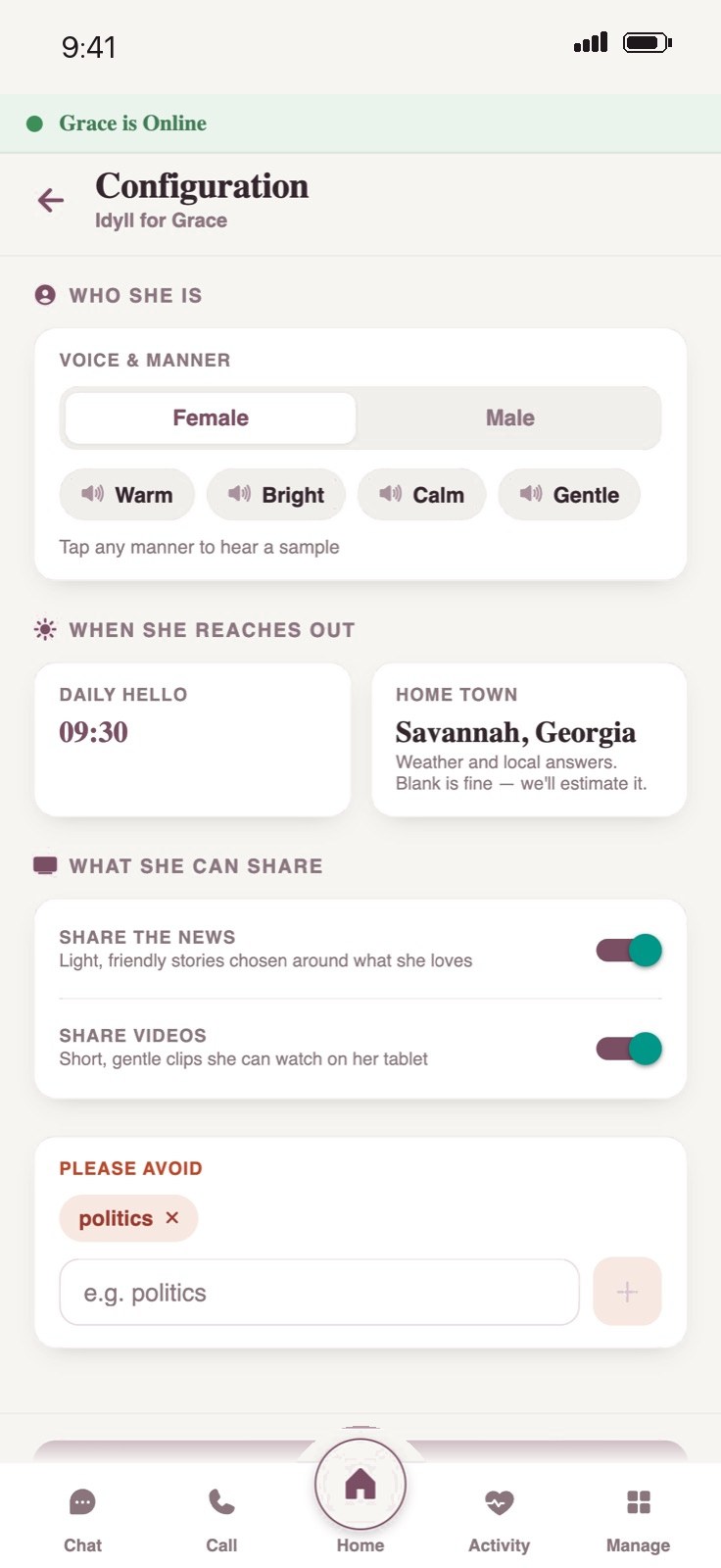
Idyll talks and listens, remembers past conversations, and can look up the weather, the news, or what happened on this day. She's warm, says plainly that she's an AI, and stays out of medical and money advice. The family shapes her from their phones: her voice and manner, a daily hello at a set time, Mom's home town for weather and local answers, whether she shares news and short videos, and topics to stay away from.
Something to do
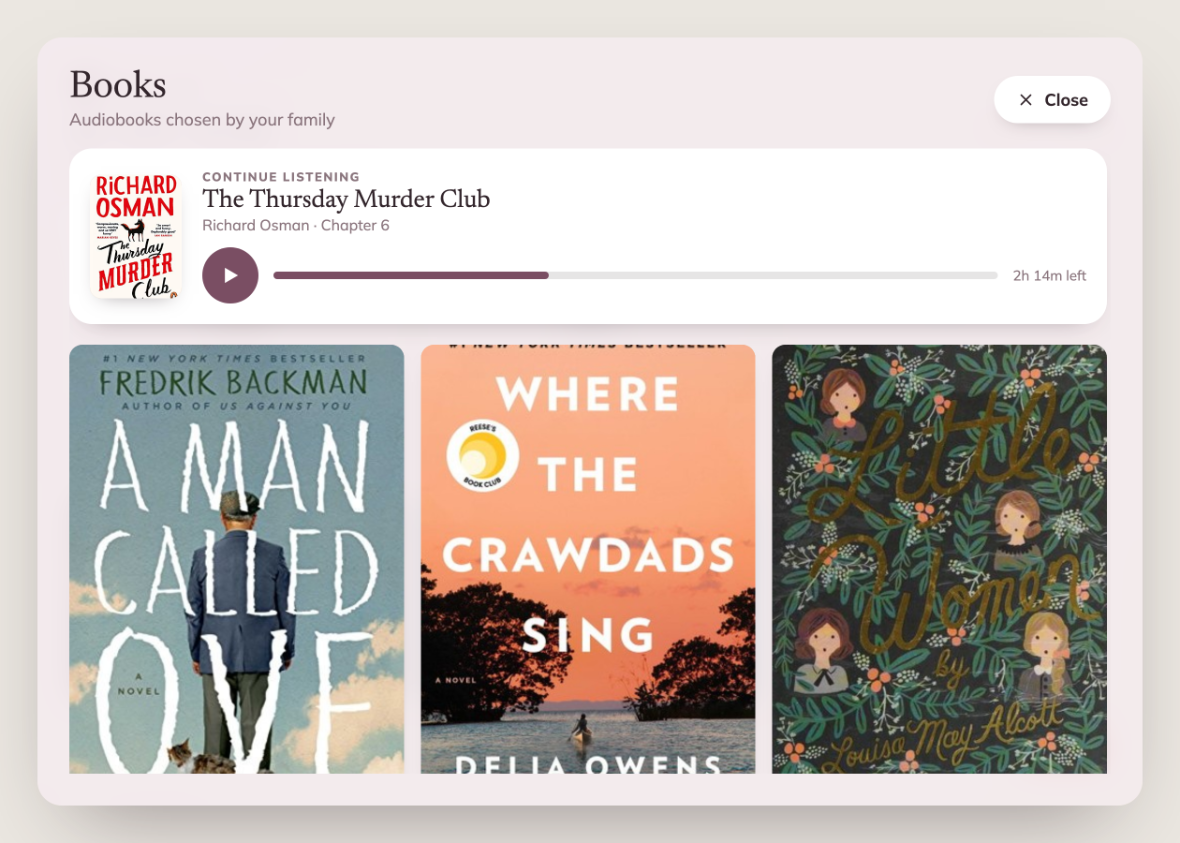
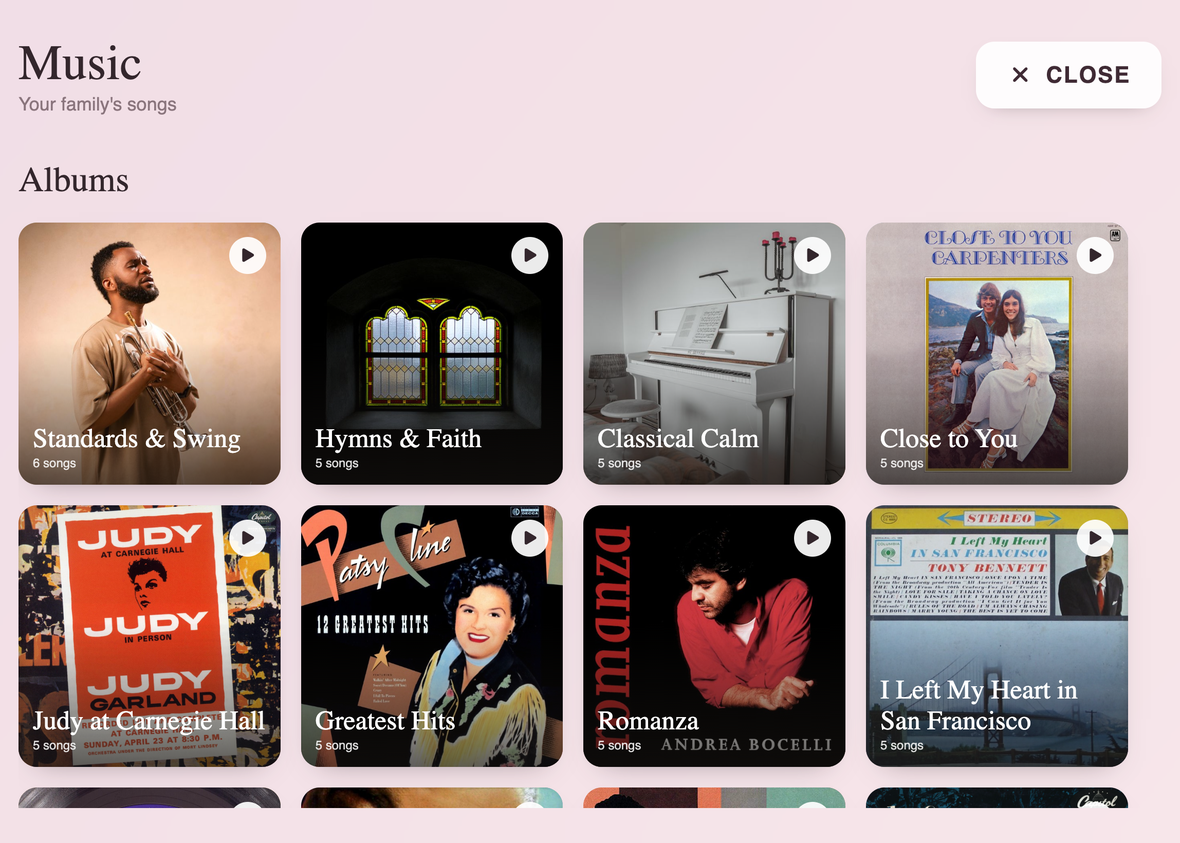
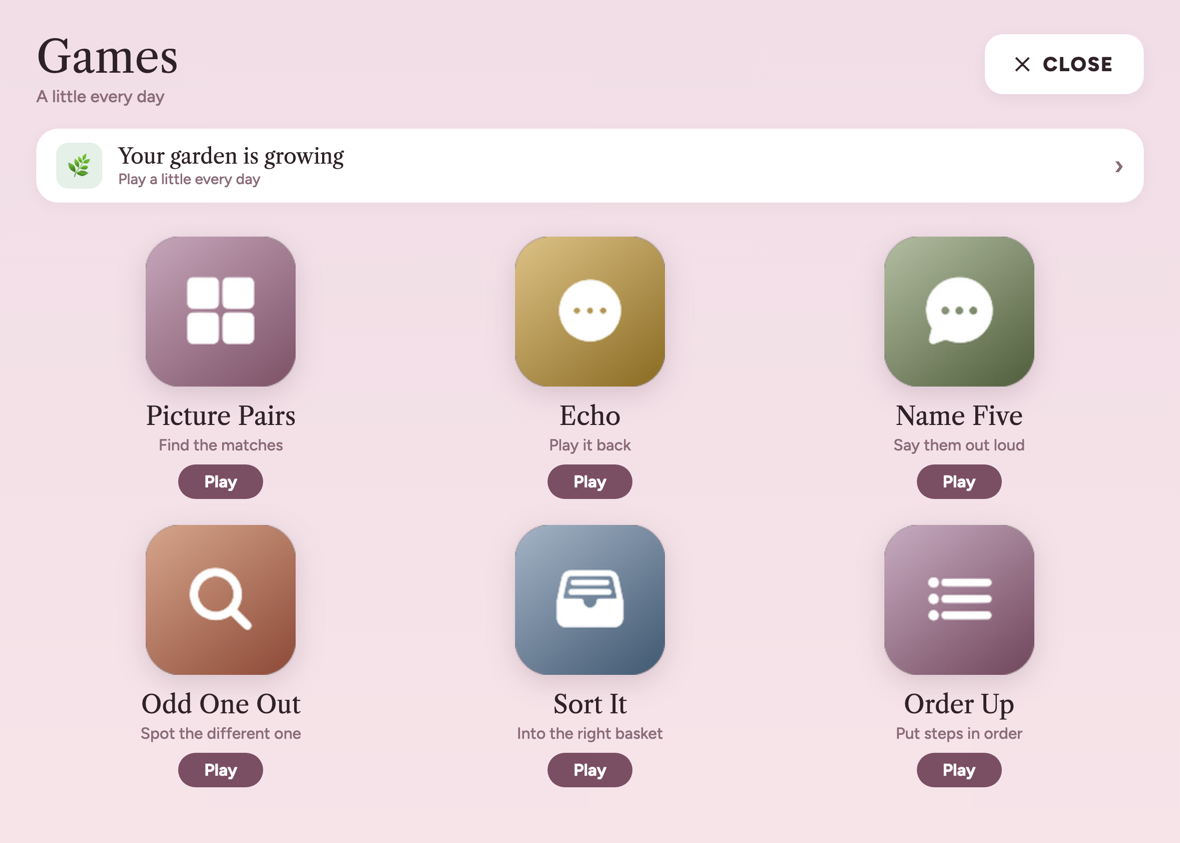
Audiobooks the family picked, with a rewind button and nothing else. Music stations. Games with no timers and no Game Over. Anything the family adds from the caregiver app shows up right away.
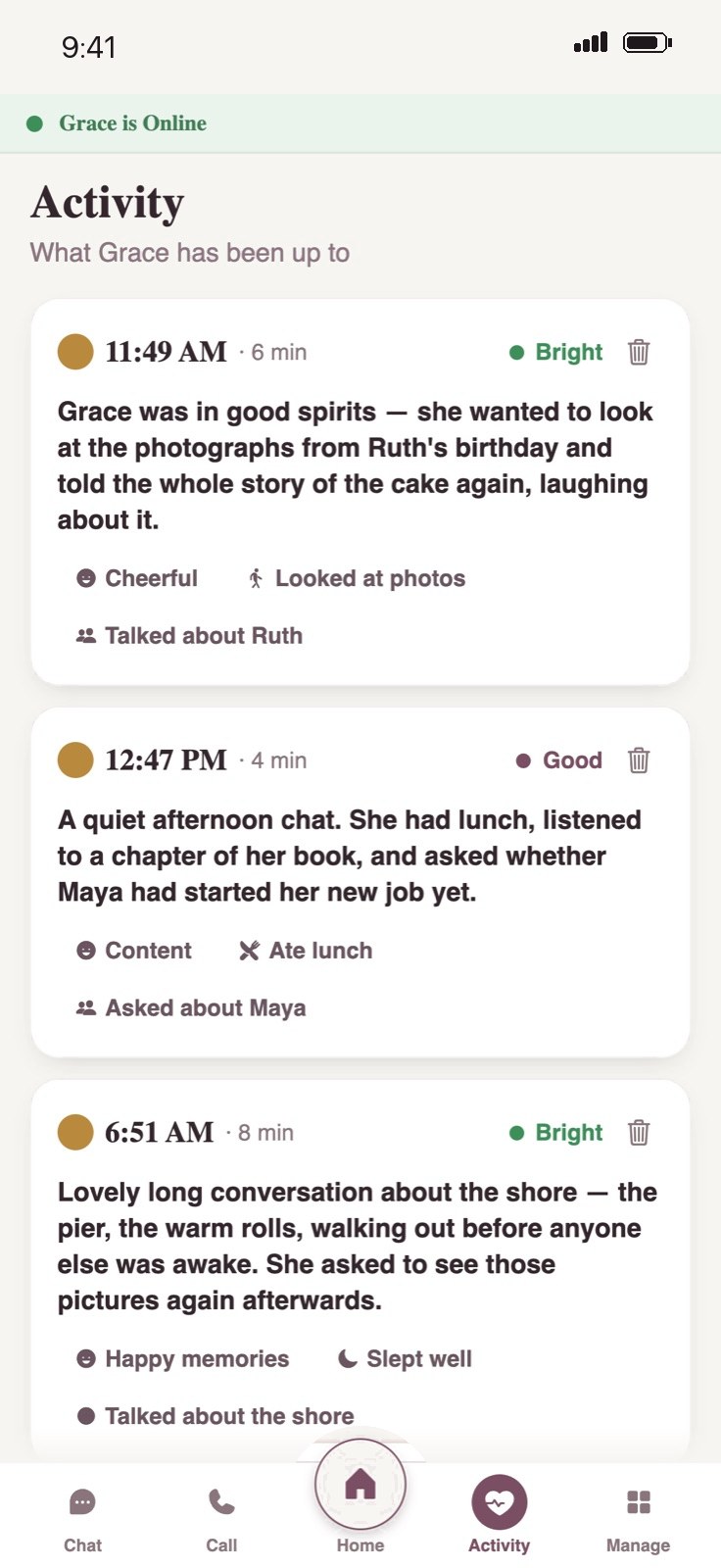
The part that matters to the kids
After each conversation, the caregiver app gets a short, warm summary with her mood and what she talked about. The family can read Mom's day without calling to check, and step into her conversation with Idyll live when they want to. Mom gets company. Her kids get “Mom's doing okay.”
Two very different users, one look. Mom's side asks almost nothing of her. The caregiver side is a normal, capable app.
Every control lives on the family's side, so Mom's screen never grows a settings menu.
Mom never gets stuck on a dead screen. If something drops, it reconnects quietly.
Idyll is honest. She says when she's looking something up and that she's an AI.
Pairing runs backwards: the tablet shows a code and the family types it on their phone.
One conversation turns into peace of mind for the whole family.